Charts for Power Apps that look designed.
Power Apps’ built-in charts are basic and hard to style. Ninth Forge Charts gives you clean column, line, bar, donut and KPI charts on any Dataverse table, configured in the property pane, plus actual-vs-plan variance charts that finance teams usually leave Power Apps to build.
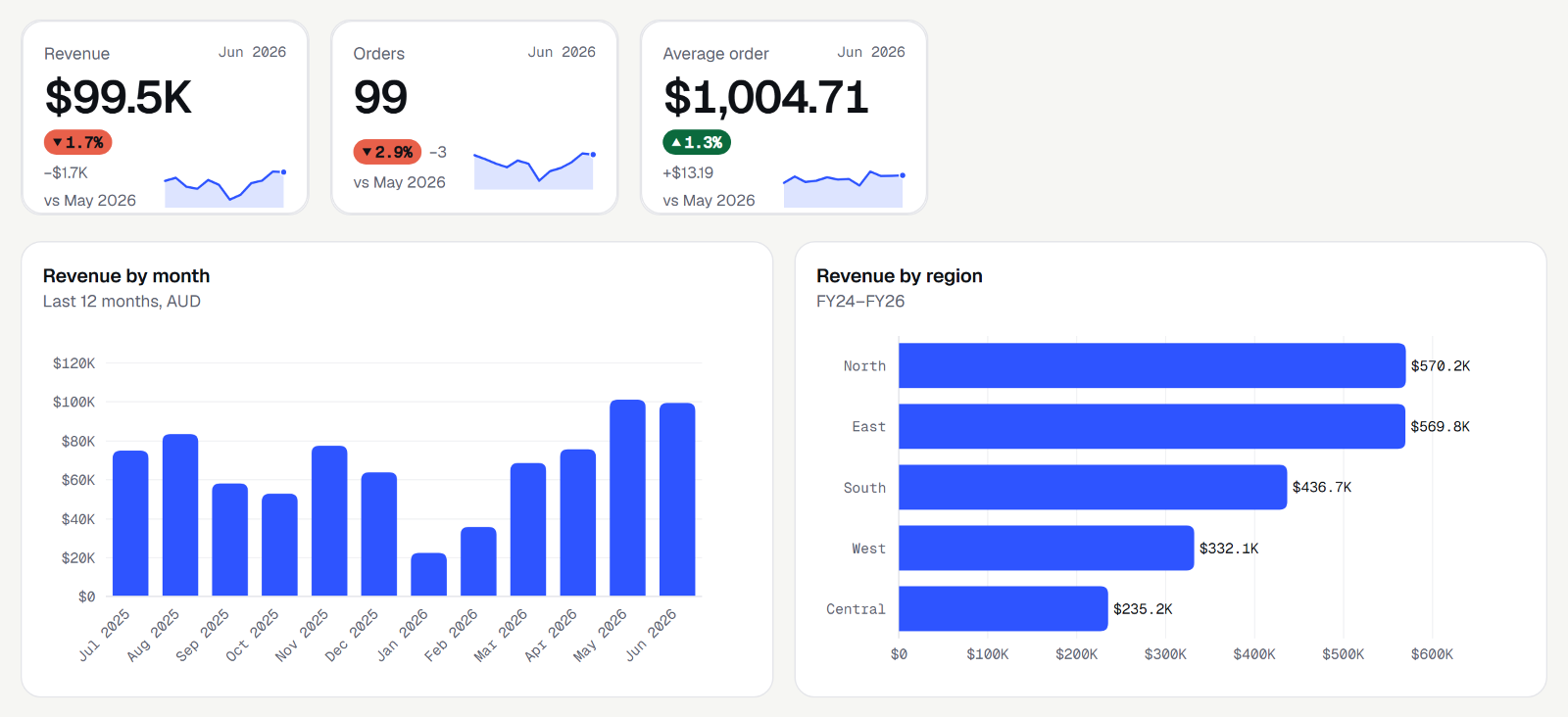
Three tiers, one control.
| Lite (free) | Pro (launching 27 January 2027) | Variance (launching 27 January 2027) | |
|---|---|---|---|
| What it is | The essentials, designed properly | Every chart a business app needs | Actual vs plan, the way finance reads it |
| Charts | Column, bar, line, area, donut, sparkline, KPI tile | Lite, stacked, combo, scatter, bubble, waterfall, funnel, bullet, heatmap, small multiples | AC/PY/PL/FC notation, variance bars and pins, bridges, sorted variance |
| Extras | Themes, keyboard, screen-reader tables | Drill-down, cross-filter, reference lines, annotations, PNG and print | Invert for costs, message titles |
| Price | Free, no key | Included in Charts | Included in Charts |
Charts is from $790 per production environment per year, which includes Pro and Variance. Dev and test are free. See pricing.
Why it's different.
- Designed, not defaulted. No 3D, no gradients, no clutter. Light gridlines, direct labels, and numbers formatted like a person would write them (1.2k, $3.4m).
- Accessible charts, for real. Every chart has a keyboard path through its data, a spoken summary and a hidden data table for screen readers. Most chart libraries skip this.
- Any table, no code. Pick a category, a value and how to total it (sum, average, count). Group dates by week, month, quarter or fiscal year.
- Fast and light. Our own rendering engine, with no third-party chart library to audit or update. It runs inside your tenant and never calls home.
Actual vs plan, the way finance reads it.
Variance charts follow the IBCS standard finance teams use for management reports: solid actuals, outlined plans, hatched forecasts, and green/red variance bars that are readable in greyscale too. Bridge charts show what moved you from plan to actual. Nothing else does this inside Power Apps.
Questions, answered.
Is Charts Lite really free?
Yes. Use it in production, no key, no watermark.
What happens if I use a Pro chart without a licence?
It still renders fully, with a small "Unlicensed" mark. Nothing breaks.
How many rows can it handle?
It totals up to 50,000 rows in the browser. For bigger data, chart a summary view.
Power BI instead?
Power BI is great for analysts. Ninth Forge Charts is for charts inside the apps people already work in, with no separate licence or embed.